
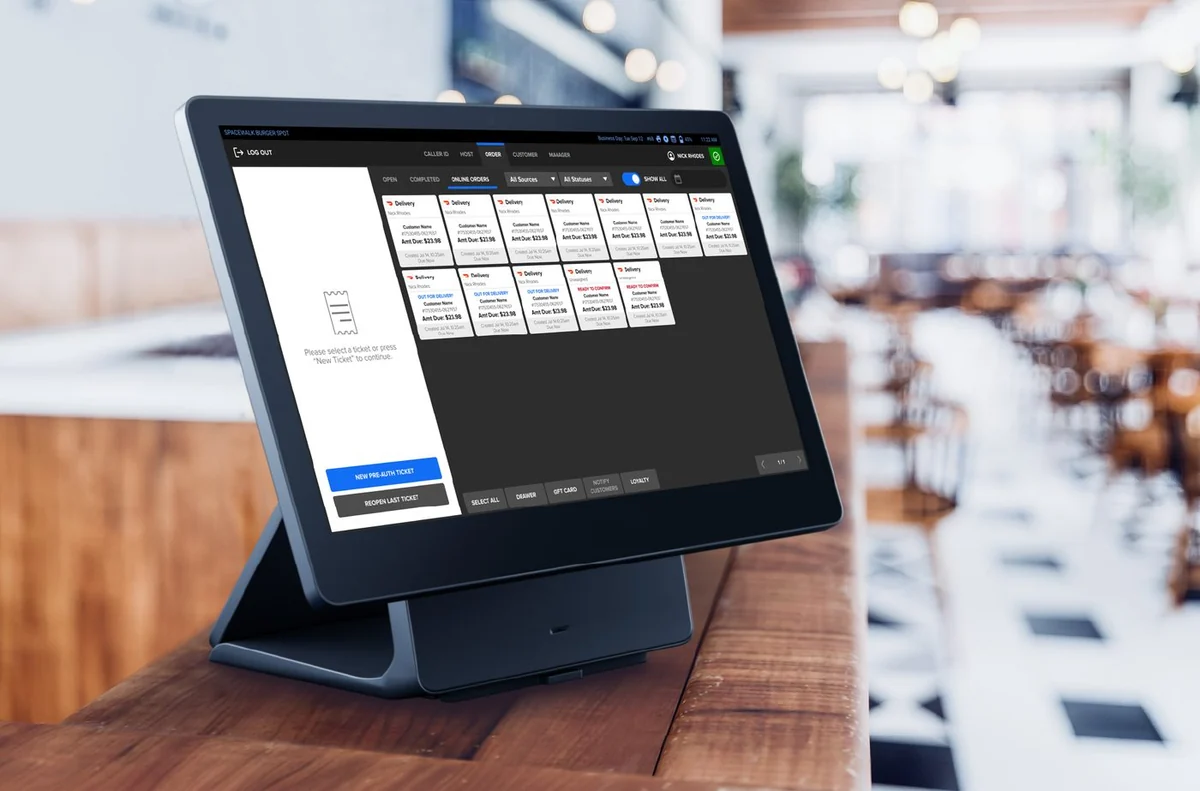
Take your own menu, a recent card statement and a short list of awkward orders to a restaurant POS demo. Ask the supplier to show how your actual service would work, then put the equipment, software, payment charges and support promises into one written quote. A tidy demonstration is useful; a system your staff can use during a rush is the real test.
This checklist helps you leave with answers rather than another brochure. It is a set of questions to put to any supplier, not a claim that every system includes each feature.
Before the demo: write down how you trade
Start with the job the till needs to do. A counter-service café and a restaurant taking orders at tables should not have to use an identical checklist.
Bring your current menu, including the bits that are easy to miss: extras, size choices, meal deals, lunch prices and unavailable items. List where orders start and where staff need to see them. Include phone orders or collection orders if those are part of your business.
Ask yourself where today's setup causes work. Do staff retype an order? Does someone walk a ticket to the kitchen? Is correcting a bill awkward? Put those problems at the top of the demonstration, rather than letting a long feature list decide what matters.
Menus deserve proper attention. Square's own restaurant setup guide, for example, treats hardware, payment setup and menu creation as separate tasks, and says the digital menus should match the restaurant's physical menus [1]. Ask who will do each setup job for your particular quote.
Test an order from start to finish
Ask the demonstrator to use a handful of your real items. Then let a member of your team try the same sequence without being talked through every tap.
| Test | What to ask the supplier to show |
|---|---|
| A normal order | Find items, add them and send the order to the right place |
| An awkward order | Apply a modifier, remove an ingredient or add a clearly visible note |
| A mistake | Correct an item before payment and explain the record left behind |
| A price change | Change a price with the right staff permissions |
| An unavailable item | Stop staff selling an item you have run out of |
| The bill | Produce the bill and demonstrate your required payment workflow |
| The end of service | Find the report the owner will actually use |
If split bills, table moves, kitchen printing or online-order connections are essential, ask for a working demonstration on the proposed package. A statement that something is available somewhere in the supplier's range is not enough. Record the required plan, equipment and extra cost beside each answer.
Do not turn an allergy note into a safety promise. Ask how staff are expected to use the system alongside your existing food-safety process, and make sure your team understands the limits.
Make the equipment list specific
Ask for the model and quantity of every item supplied: till screen, payment device, cash drawer, printer and anything else your setup requires. Mark whether each item is bought, rented, loaned or supplied under another arrangement.
If you want to reuse existing equipment, give the supplier the exact model details. Ask for written confirmation of compatibility and who will support it. Do not budget on the assumption that an old printer or tablet will work because it looks similar to the demonstration kit.
Also ask what happens if something breaks during service. Find out who takes the call, how a replacement is arranged and whether a temporary workaround has been agreed. Put a realistic failure scenario to the supplier rather than asking only whether support is included.
Ask about a busy evening, not just opening day
Run through the practical questions your team will face:
- Who creates the first menu, and who checks it before opening?
- Can you change it yourself, and is training included in this quote?
- What connection does this exact setup require?
- What happens to orders and payments if that connection fails?
- Which support hours cover your actual trading hours?
- Is installation included at your address, and what must be ready beforehand?
- How do you get your sales records out if you later change supplier?
These are requirements to confirm, not features to assume. If a supplier cannot answer during the meeting, leave the item marked unconfirmed until the written answer arrives.
Compare the whole quote on the same basis
Separate the recurring bill into software, equipment rental, processing fees and any other charges. Keep purchases, installation charges and exit costs in a different section so they do not disappear into a monthly headline.
Use the same card turnover, transaction count and card mix for each payment quotation. Ask whether quoted amounts include VAT and compare them on a consistent basis. If you cannot calculate a charge from the information supplied, request the calculation rather than treating the missing number as zero.
There is a useful principle behind this approach: UK advertising rules require identifiable competitor comparisons to cover products serving the same purpose and compare material, relevant, verifiable and representative features [2]. Your buying worksheet should be just as clear about what is being compared.
For a worked cost breakdown, use our restaurant till cost guide. The demo checklist answers a different question: whether the setup you are pricing can do the work you need.
Read the commitments before choosing
Ask for the minimum term, notice method, early exit calculation, equipment return conditions and ownership position. Where payments and equipment involve different agreements, keep the answers beside the correct agreement.
Do not assume the length of a payment contract tells you the length of a software or equipment commitment. Have the supplier identify which document governs each part, then check the documents match what was said in the demo.
If an important answer is still missing, keep the quote open rather than filling the gap with an assumption. An owner should be able to explain the commitment in plain language before signing it.
Where Shift4 Dine fits
Through TrustPOS, Shift4 Dine is £39 per month plus VAT for the full POS till, with no upfront costs, on-site installation and your menu loaded before arrival. The recorded card rate is 0.9% + 2p per transaction, with next-day payments.
The agreement is 12 months. Early exit costs the monthly rental multiplied by the months remaining. Exact equipment, required features, any additional charges and tax treatment need confirming in your written quote.
Use the same demonstration checklist when considering this option. Start with your required service workflow and have each essential function confirmed for your proposed setup before deciding.
Sources
- Square UK: Set up your food & beverage business — checked 18 October 2026. Used only as an example of separate setup tasks, not a comparison of product capability.
- ASA: CAP Code, section 3, misleading advertising — checked 18 October 2026; comparison rules 3.33–3.34.
This guide is general information, not financial advice. Any saving depends on your current charges, card mix and final terms.